Modern Typing Practice · Real Content · Guided Improvement
TypeDrift
TypeDrift is a modern typing sandbox for building real skill progression. Improve speed and accuracy with typing practice for words, letters, sentences, Wikipedia articles, custom text, detailed stats, achievements, and guided lessons.
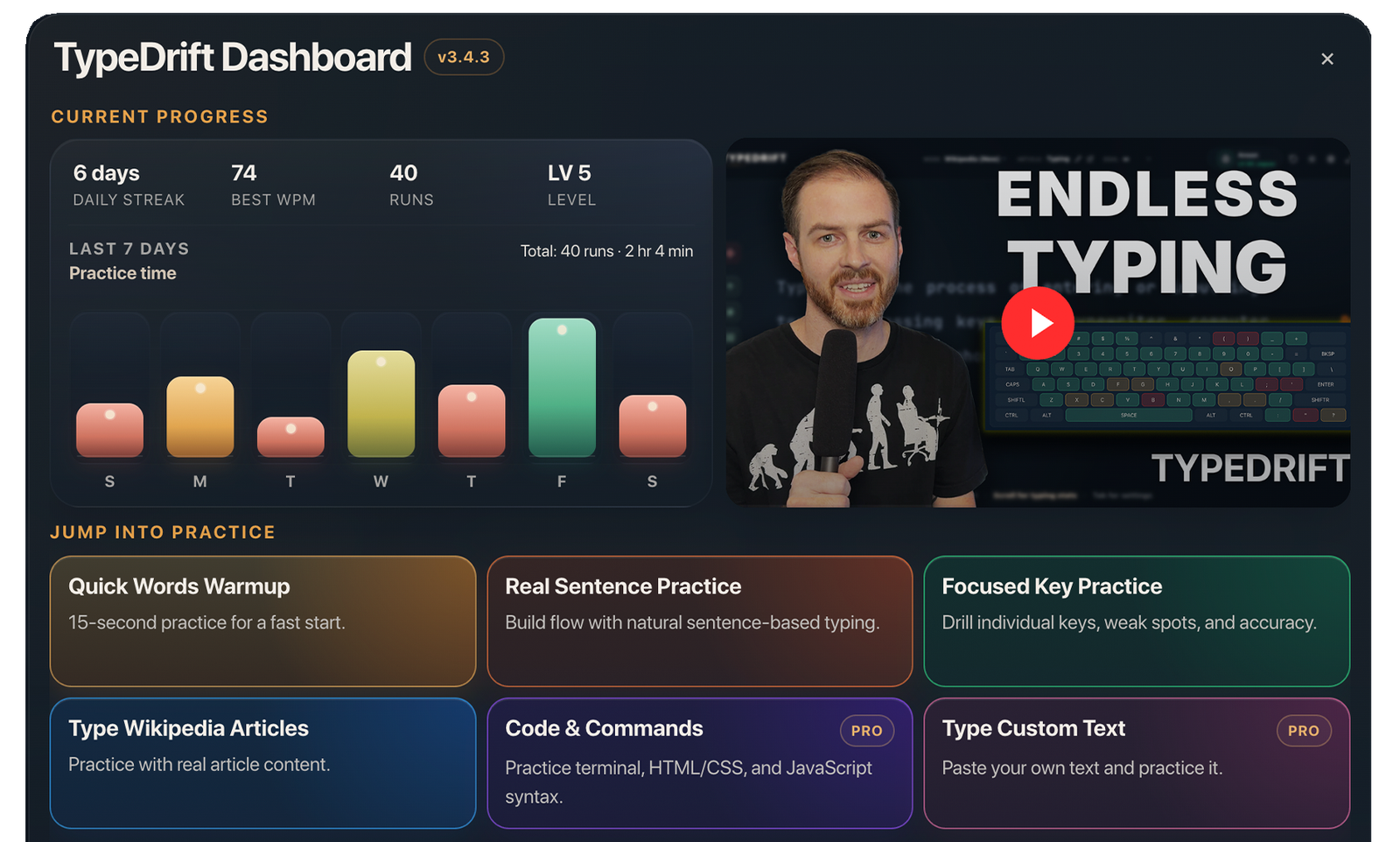
TypeDrift was created by Anson Alexander, a longtime typing educator whose typing training has reached millions of learners.
Free Typing Practice in TypeDrift
TypeDrift gives you a strong free typing practice experience right away — no account required. Practice common words, focused keys, sentences, and real Wikipedia articles while tracking progress over time.
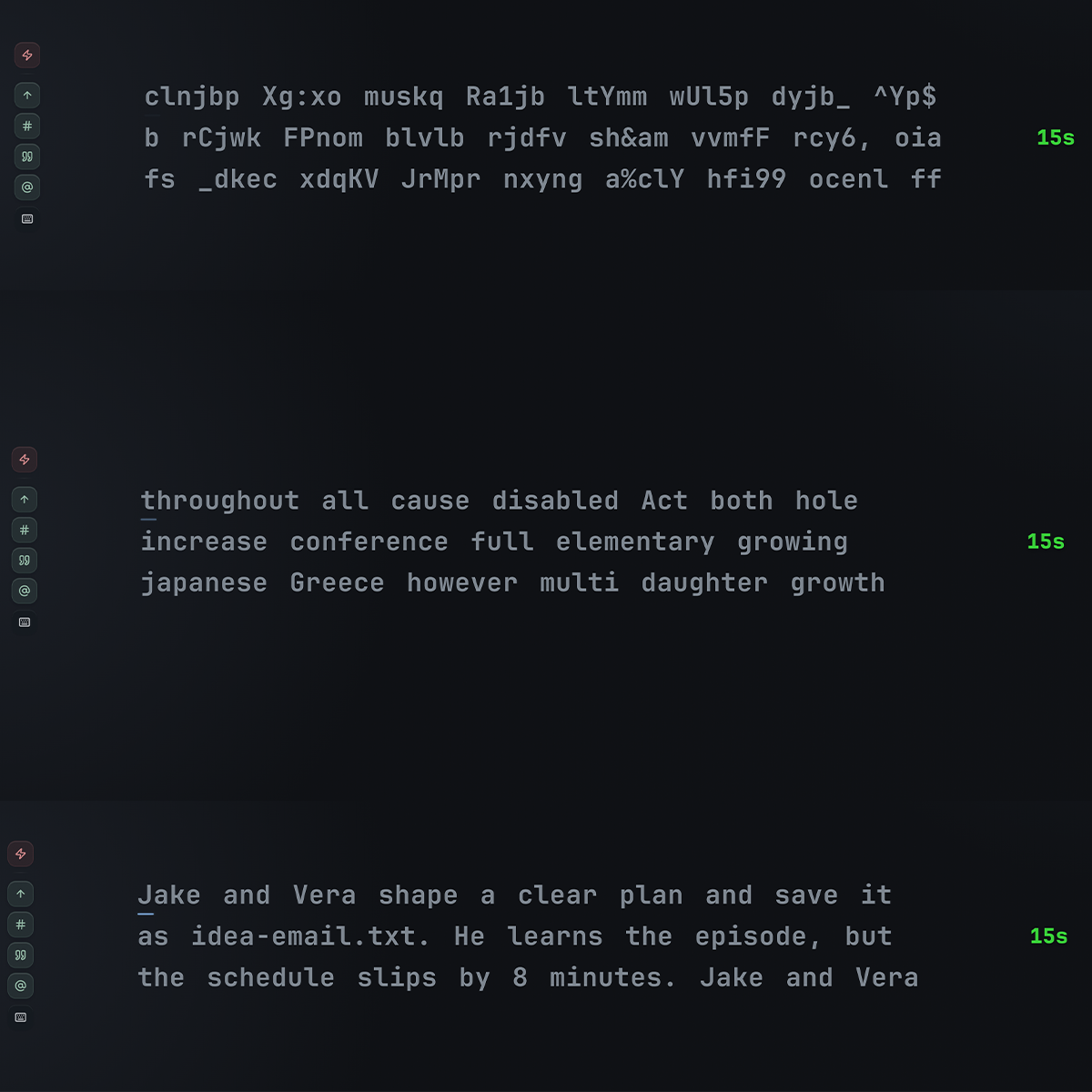
Letters, Words & Sentences
Practice with focused letters, common words, and sentence-based sessions so you can train exactly the way you want.
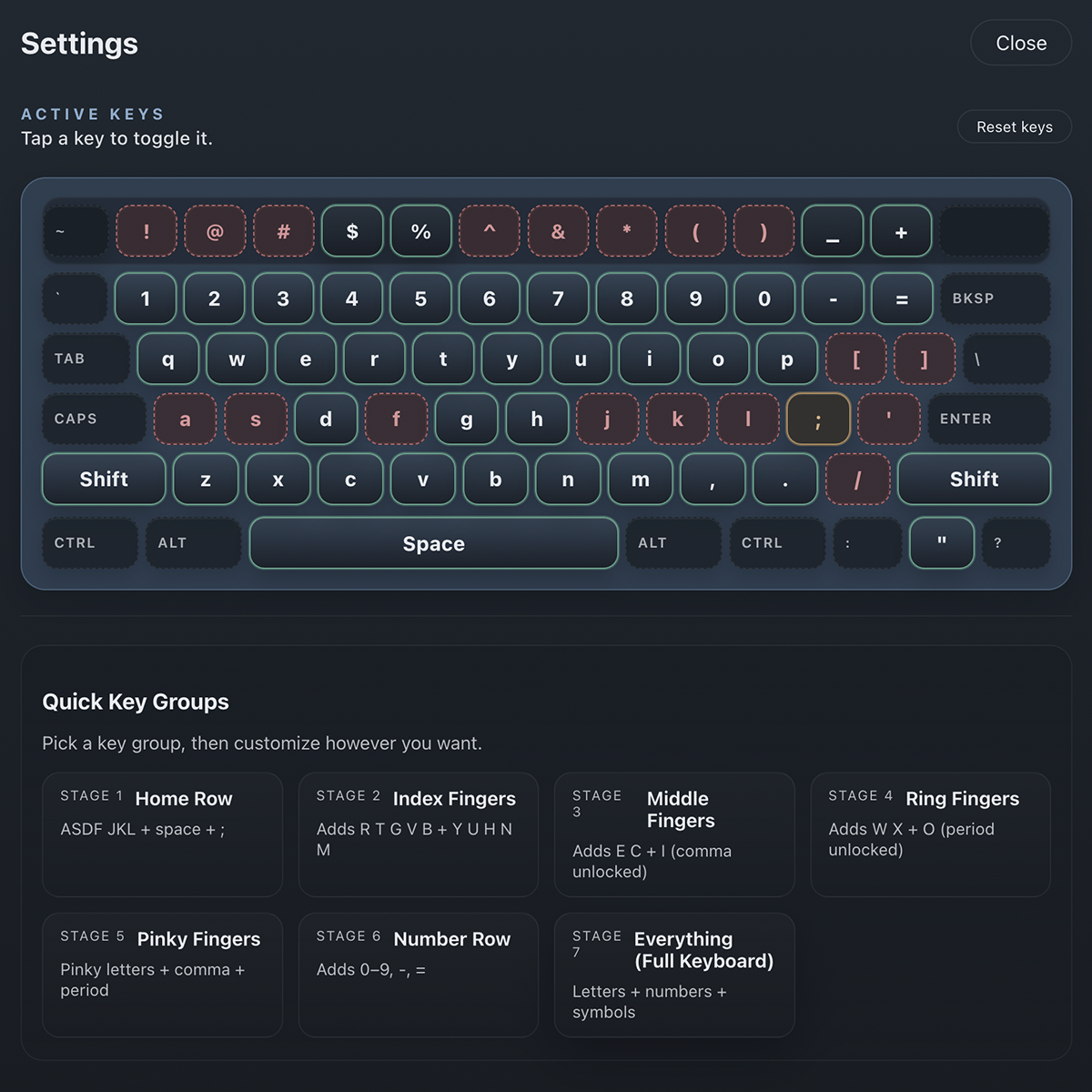
Focused Key Practice
Turn individual keys on or off to build a customized session around the exact characters you want to improve.
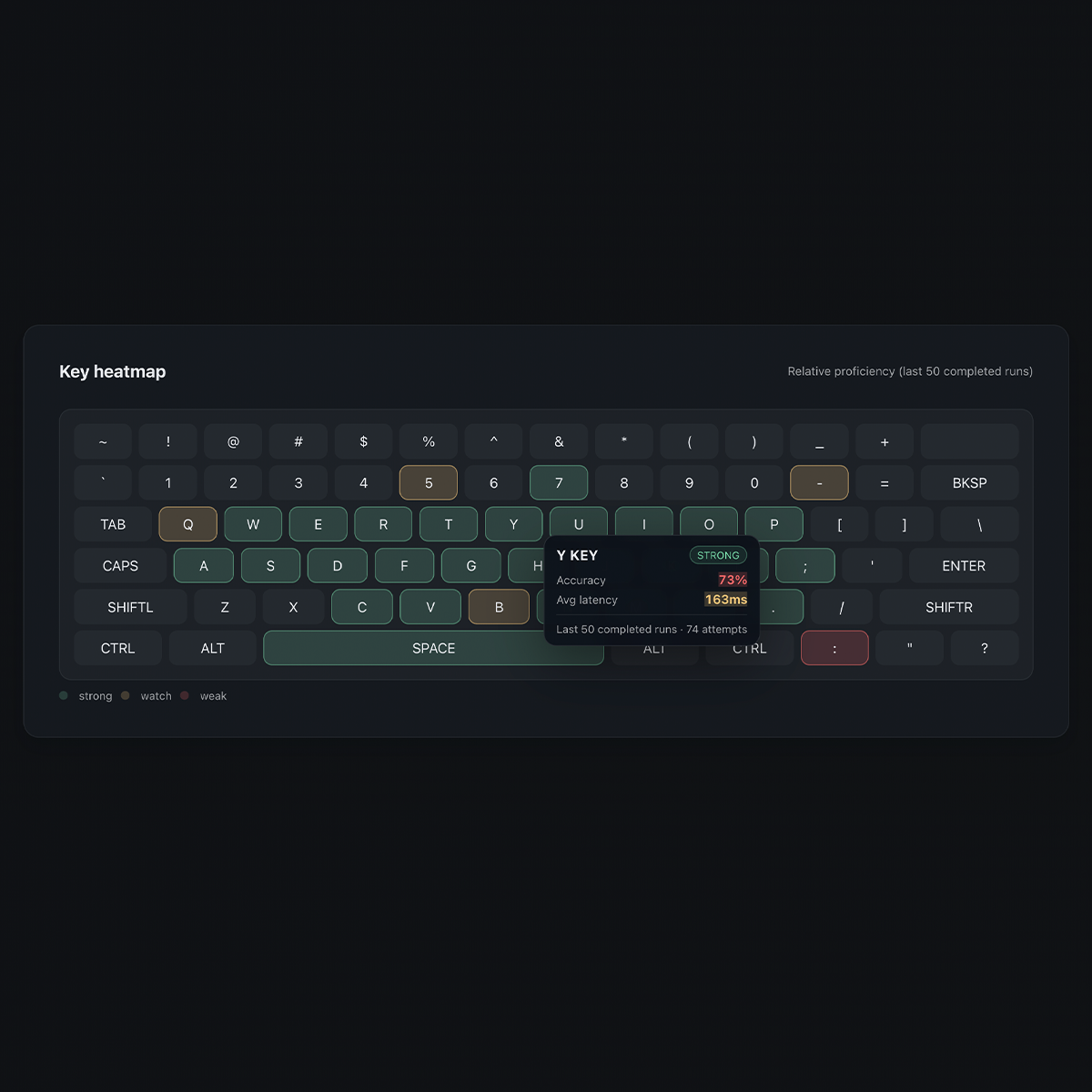
Heat Map & Per-Key Stats
See where you are strong and weak with detailed per-key tracking and visual heat map feedback as you practice.
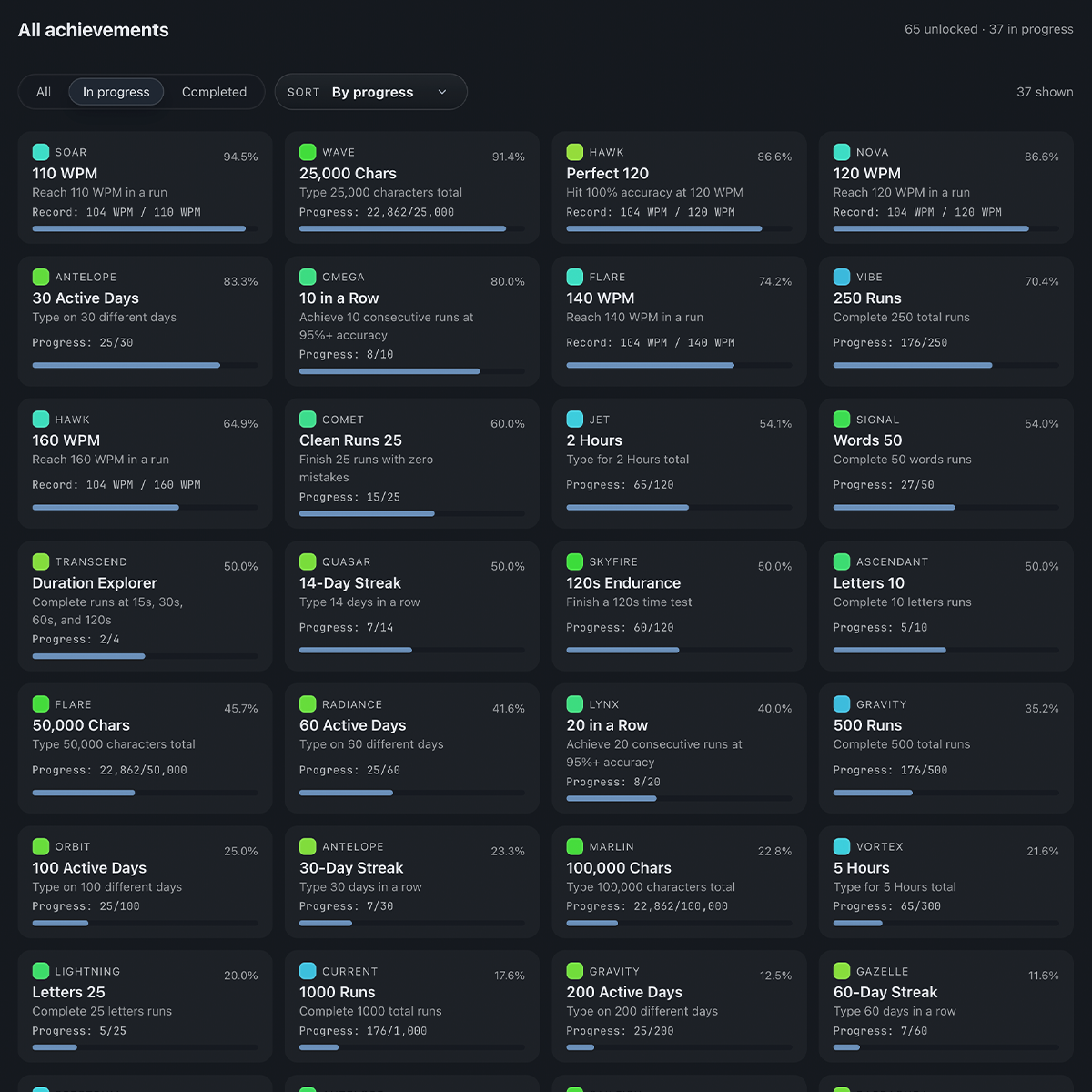
Achievements & Milestones
Unlock achievements as you improve your speed, accuracy, consistency, streaks, and overall typing progress.
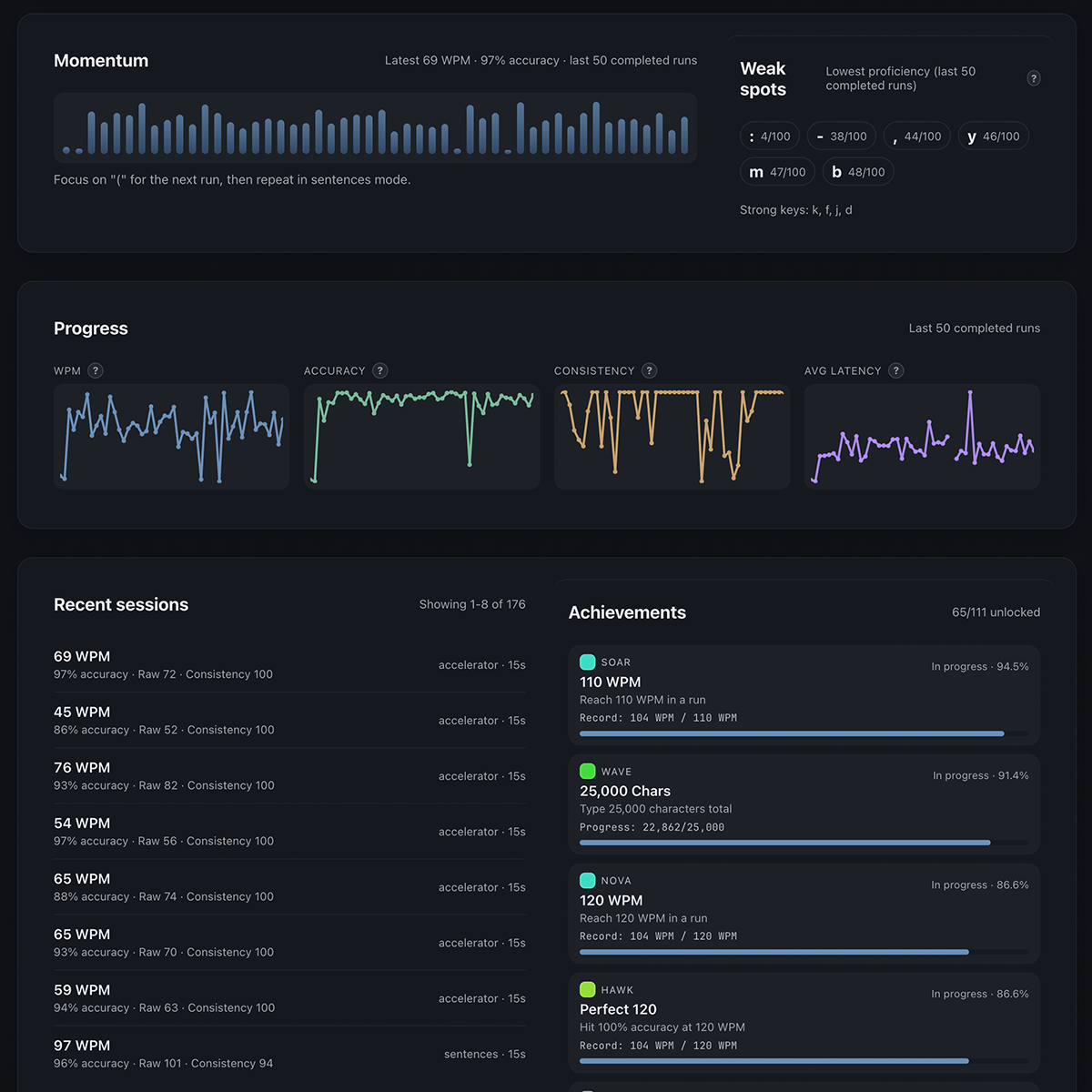
Detailed Typing Stats
Track WPM, accuracy, consistency, streaks, and typing history to clearly see how your typing skills are improving.
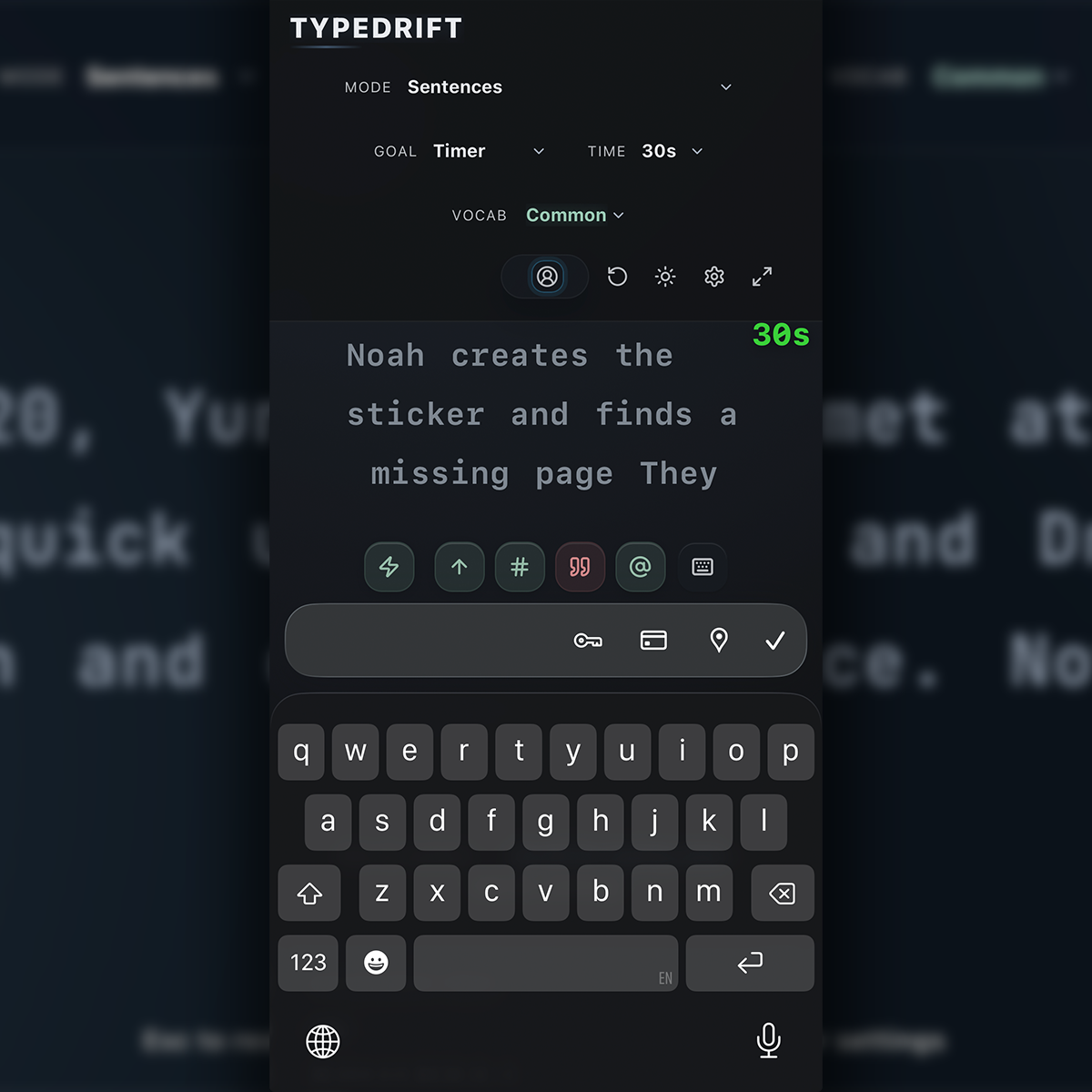
Desktop & Mobile Friendly
Use TypeDrift on desktop or mobile, and your progress saves automatically in your browser. Stay logged out to keep desktop and mobile stats separate.
Practice With Real Content
Typing practice works best when it feels connected to the way you actually read, write, and learn. TypeDrift helps you train with focused drills, sentence practice, travel content, and real Wikipedia articles so your sessions feel more useful than a basic typing test.
Use free practice when you want a clean daily typing trainer, then move into Pro when you want to practice personal writing, technical commands, or a more structured course.
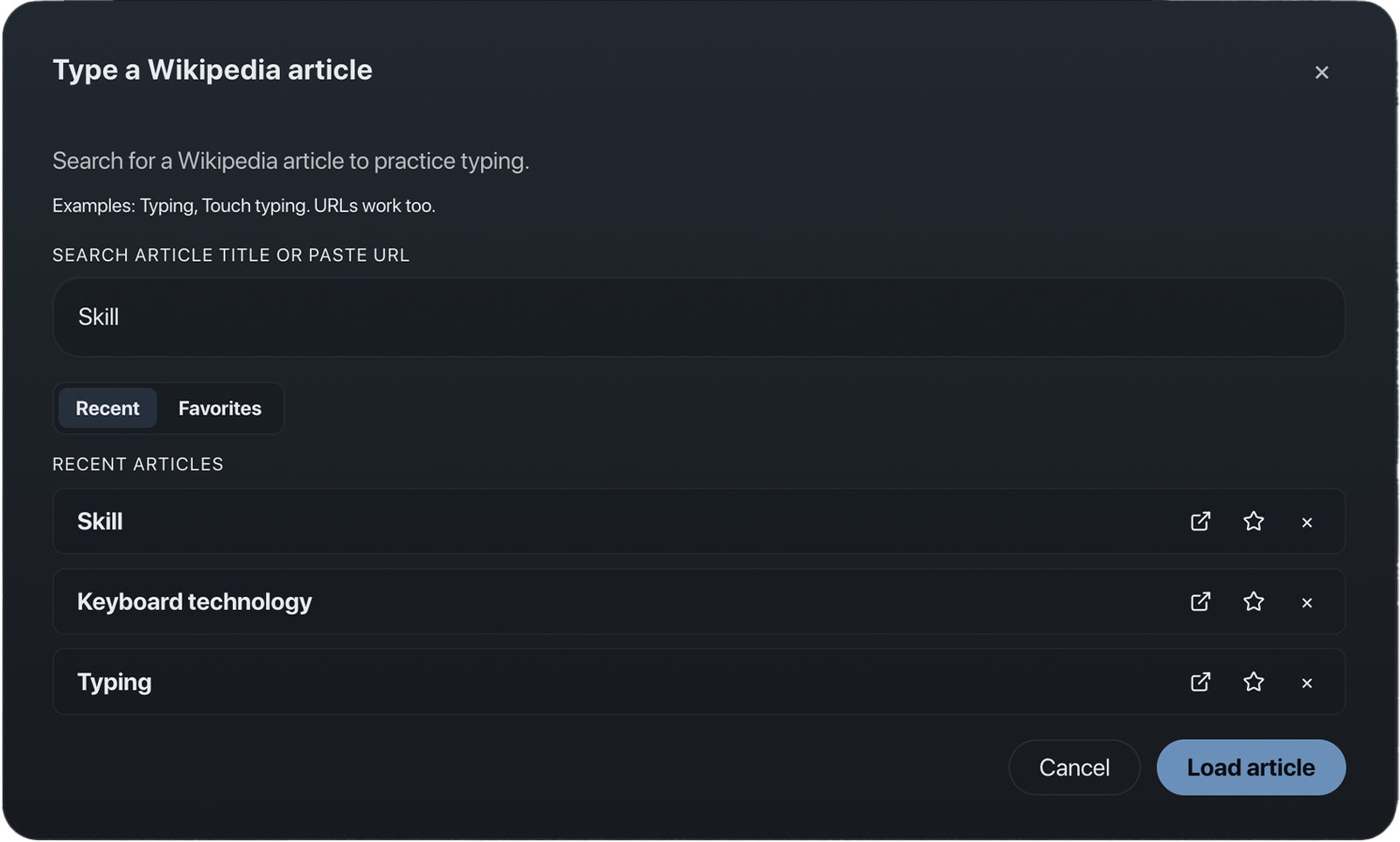
TypeDrift Pro: Practice What Matters Most
Pro expands TypeDrift beyond standard typing practice with personal text, saved local practice material, technical typing packs, premium practice options, and Accelerator.
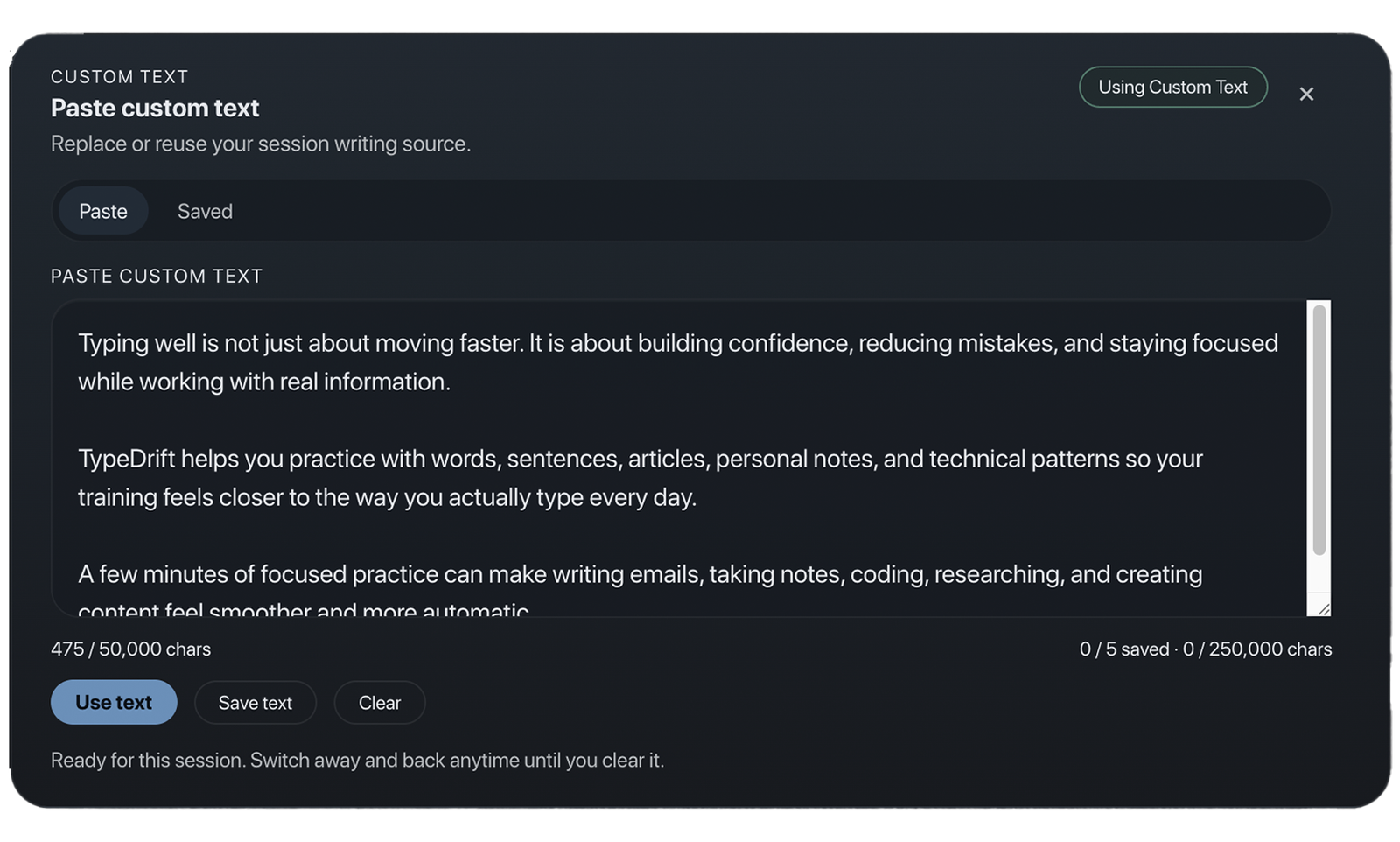
Custom Text & Saved Texts
Practice your own writing, lessons, notes, scripts, or study material. Pro users can save up to 5 custom texts locally, with up to 50,000 characters per saved text and 250,000 total saved custom text characters.
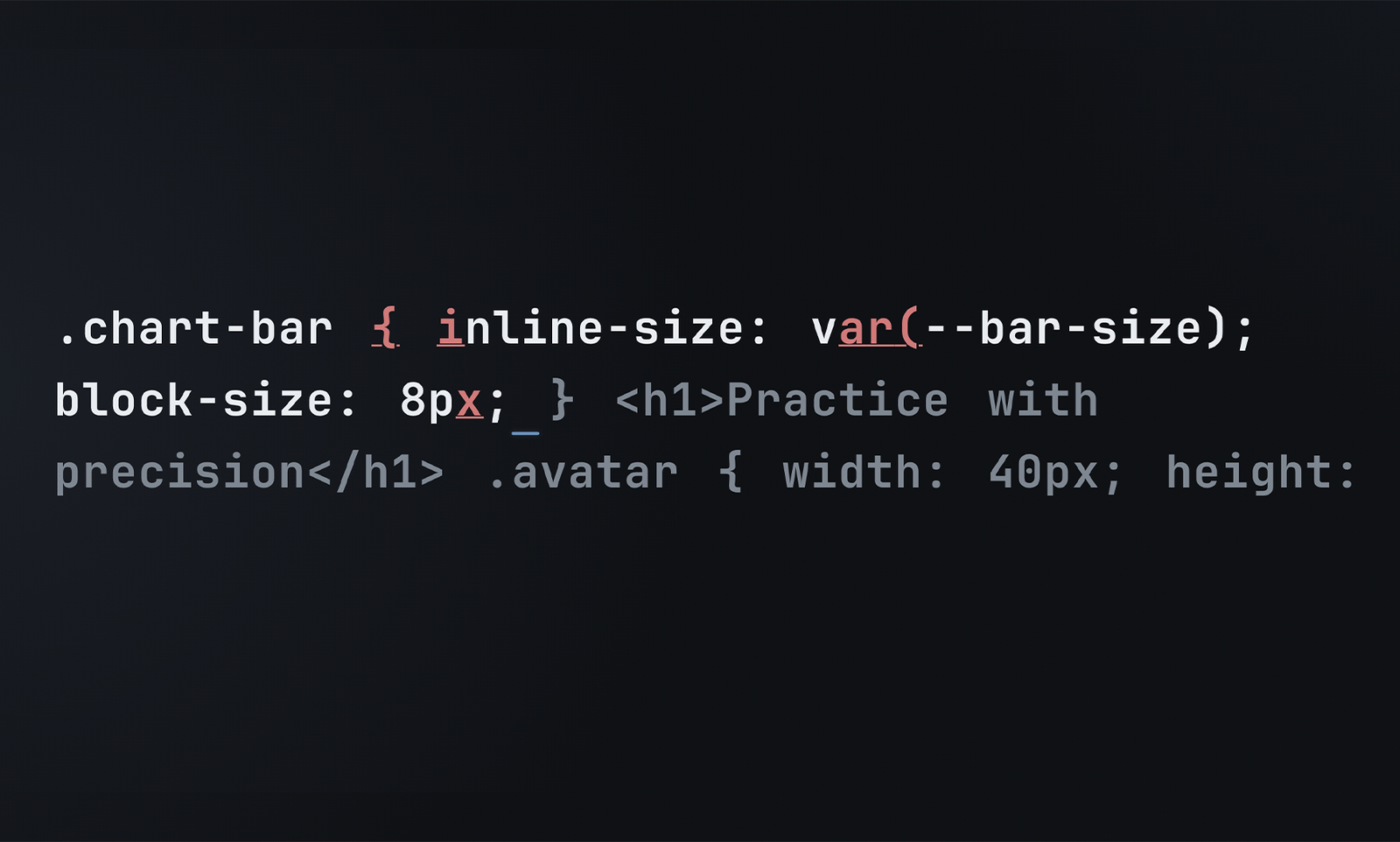
Code & Commands
Train the characters, patterns, and symbols used in technical work with Terminal & Git, HTML/CSS, and JavaScript packs. Code & Commands is typing practice only — it does not execute or debug code.
Accelerator
Follow a guided course built around progressive typing drills, finger training, accuracy-first advancement, and structured skill checks.
Local-first saved text privacy
Saved Custom Texts are stored locally in your browser. They are not cloud-synced, and saved text content, titles, snippets, previews, and IDs are not sent to analytics.
Accelerator: A Structured Typing Course
Accelerator is a guided training system that teaches touch typing step-by-step through structured drills, finger training, and progressive mastery.
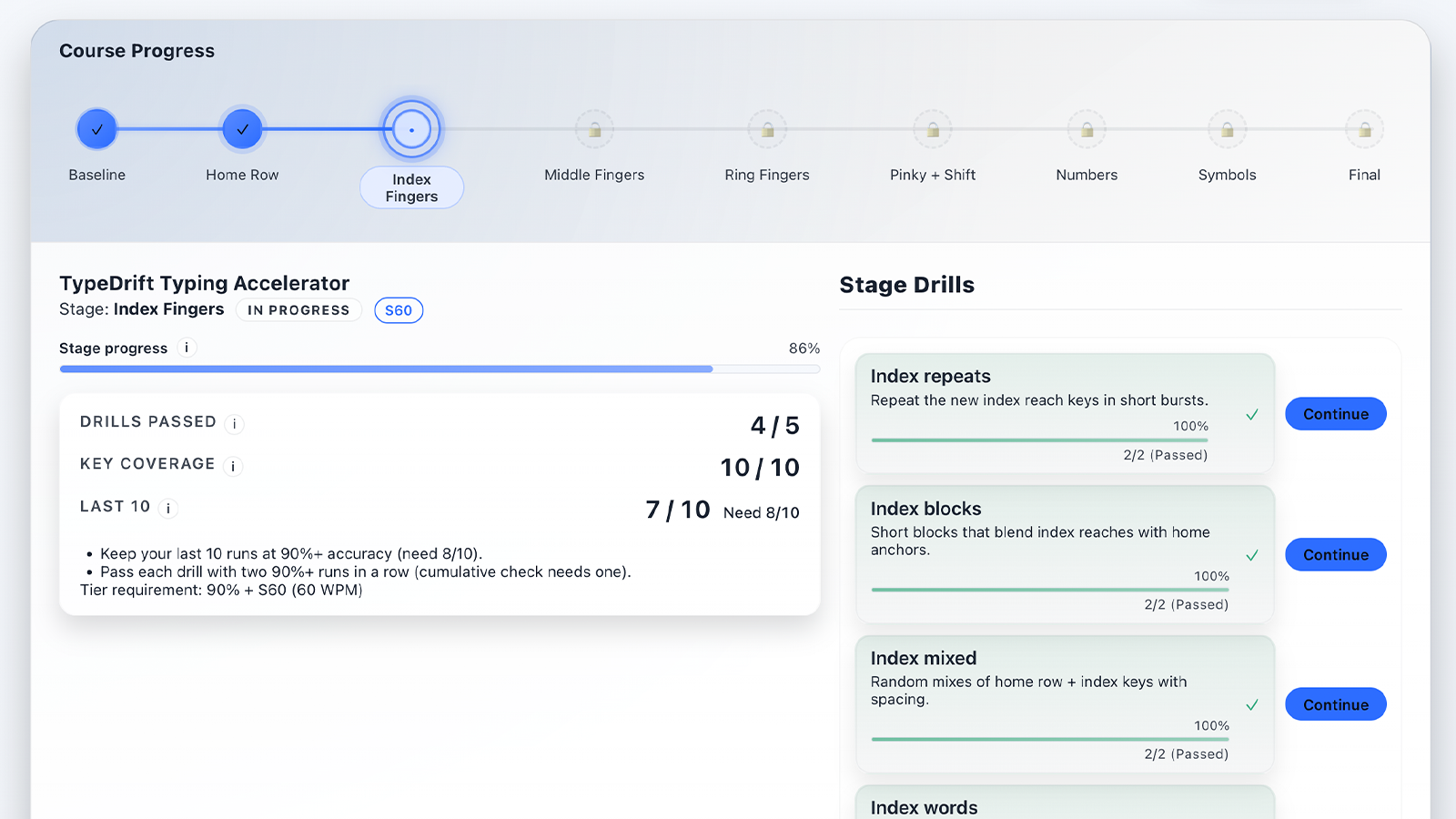
Follow a clear path instead of guessing what to practice next.
Build correct habits through guided stages and targeted drills.
Advance by typing cleanly, not just quickly.
Learn each stage with built-in guidance before moving on.
Reinforce what you have learned with milestone tests and reviews.
Use Accelerator when you want a more guided route to faster, cleaner typing.
Earn Verified Typing Certificates
Complete Accelerator tiers to earn certificates verifying your typing speed and accuracy.
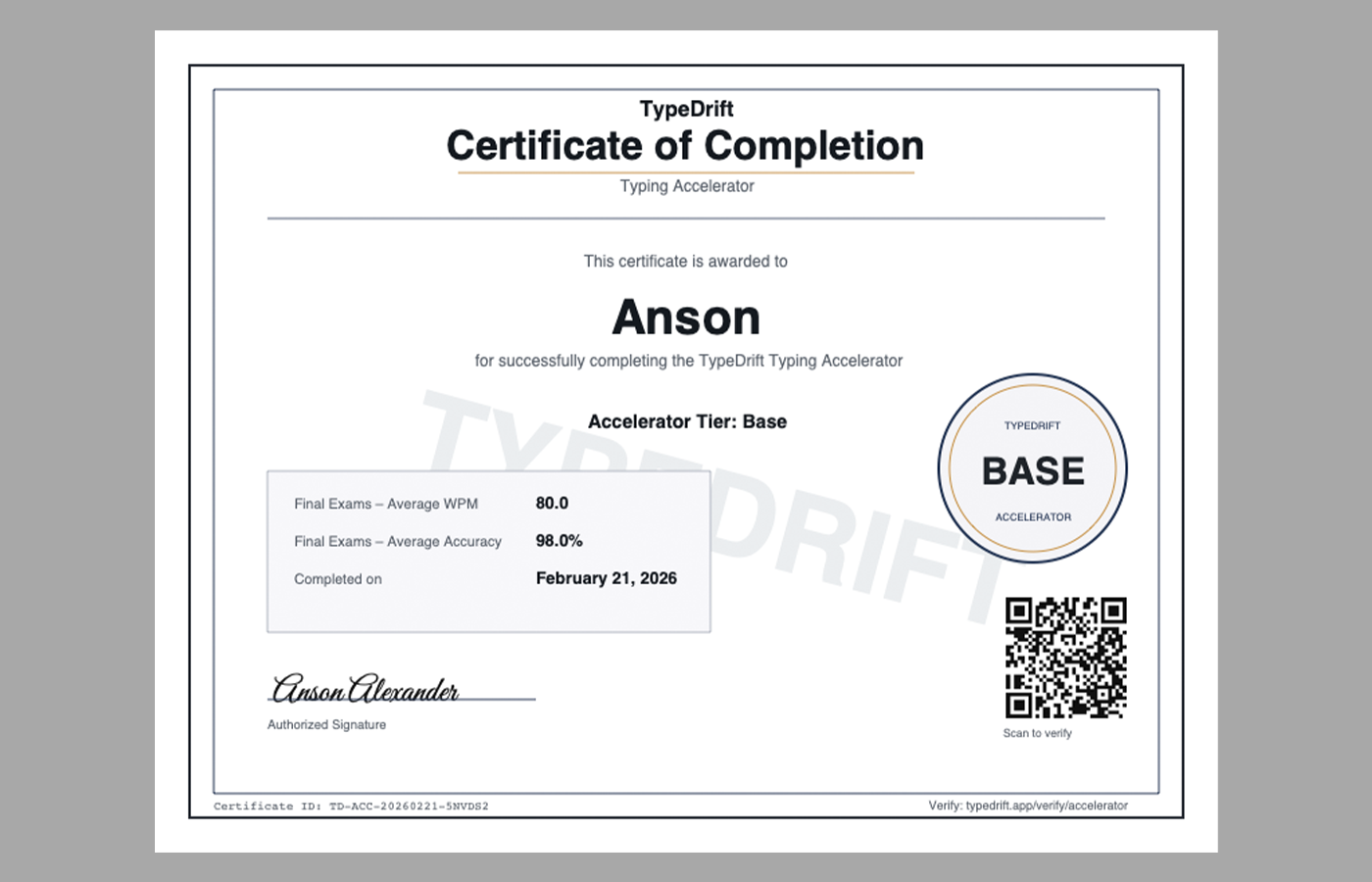
Each certificate includes a QR code allowing anyone to verify authenticity online.
TypeDrift Pro Pricing
TypeDrift is free to use. Pro is the optional upgrade for learners who want Custom Text, Saved Texts, Code & Commands, Accelerator, certificates, and premium practice tools.
EDU
$3 per month
$24 per year
For students and educators who want full TypeDrift Pro access at a lower education rate.
PRO
$6 per month
$49 per year
Full access to Custom Text, Saved Texts, Code & Commands, Accelerator, premium practice options, and certificates.
Frequently Asked Questions
Is TypeDrift free?
Yes. TypeDrift includes free typing practice with words, letters, sentences, Wikipedia practice, achievements, detailed stats, and customization tools. Pro is optional.
What does TypeDrift Pro include?
Pro includes Custom Text, Saved Custom Texts, Code & Commands, Accelerator, certificates, and premium practice options.
What is Custom Text?
Custom Text lets Pro users practice with their own writing, notes, scripts, lessons, study material, or other pasted text.
How do Saved Custom Texts work?
Saved Custom Texts are local-first. Pro users can save up to 5 custom texts locally, with up to 50,000 characters per saved text and 250,000 total saved custom text characters. Saved texts are not cloud-synced.
Does TypeDrift send my saved text to analytics?
No. Saved custom text content, titles, snippets, previews, and IDs are not sent to analytics.
What is Code & Commands?
Code & Commands is a Pro typing practice mode for technical patterns such as Terminal & Git, HTML/CSS, and JavaScript. It is for typing practice only and does not execute, run, or debug code.
Can I use TypeDrift on mobile?
Yes. TypeDrift works on mobile devices as well as desktop, making it a flexible modern option for typing practice and training.
Do I need an account?
No. You can practice typing for free without creating an account. Pro features and Accelerator progress require sign-in.
Why does Accelerator require sign-in?
Signing in ensures your course progress is safely backed up and can sync across devices.
Can I cancel my subscription?
Yes. Monthly and yearly subscriptions can be canceled anytime through Stripe and generally remain active until the end of the current billing period. Manage billing here. TypeDrift subscriptions are generally non-refundable except where required by law or where a serious technical issue prevents access to paid features and cannot be reasonably resolved.
How are certificates verified?
Each certificate includes a QR code that links to a public verification page confirming authenticity.
Support
Need help with the app, your license, or your subscription?
Billing and subscription management are handled securely through Stripe.
TypeDrift is created by Anson Alexander. Payments and subscriptions are processed securely through Stripe.